Understand, remember and test yourself.
Your notes, turned into study tools. Organize your material and practice in one space, with Nubo beside you.
16 tools.One space.

Every topic, in its place.
Your notes and tools, organized by subject.

Everything in view.
Move and resize the windows your way.

A form for every idea.
Explore the tools and find your way to study.
Use the left and right arrow keys to change tools; Home and End to go to either end.
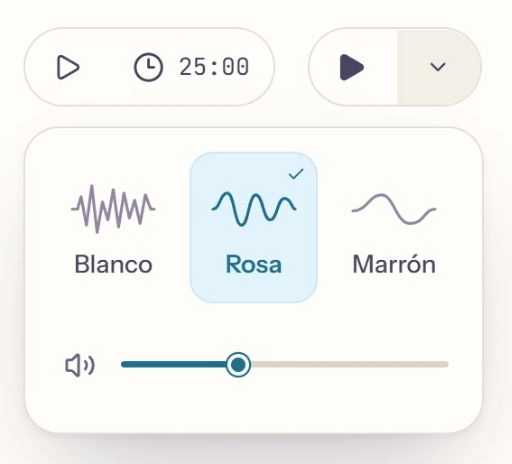
A moment to focus.
Set your time and choose a background sound.
See the work you put in.
Keep track of your study time, practice and consistency.

Ask without losing the thread.
Ask Nubo about what you’re studying.

Listen to your material.
Turn your notes into an audio review, with the script at hand.

Frequently asked questions.
Which tools does Apuntivo offer?
This is Apuntivo’s tool catalog. You can create and edit text tools manually. AI usage depends on your account’s access and available allowance; the free plan includes Nubo, summaries, quizzes, flashcards, outlines and comparison tables.
- Your sources
- Free note
- Understand
- Summary · Outline · Comparison table · Timeline · Explain it simply · Review cheat sheet
- Memorize
- Flashcards · Vocabulary · Fill in the blanks · Mnemonics
- Test yourself
- Quiz · Mock exam · Written questions · Topic map
- Listen
- Podcast · In preparation · Audio review
What notes can I upload?
PDFs, Word (.docx), presentations (.pptx), spreadsheets (.xlsx), OpenDocument, RTF, TXT, Markdown, CSV and PNG, JPG and WebP images. File size and PDF page limits depend on your plan: Free, 20 MB and 60 pages; Basic, 50 MB and 120 pages; Pro, 100 MB and 240 pages. All plans allow up to 60 scanned pages requiring OCR per document. Text is extracted on your device, including photos and scans, without using your plan’s allowance.
Will it work for my course and subjects?
Apuntivo is available in Spanish and English for primary school, ESO, Bachillerato, FP, university and public-service exams. Work with your own course materials and choose the space’s education level to guide the vocabulary and difficulty of the activities. Children under 14 need an account managed by a parent or legal guardian.
How does Nubo help while I study?
Nubo is your space’s assistant and keeps the material you’re working with in mind. You can ask it to explain a concept differently, clear up a question or create new tools. For example: “I don’t understand this part of the summary” or “Create some flashcards to review this topic”.
Is my work saved? Can I organize it by subject?
Yes. Your library brings together your study spaces with their saved materials and tools. You can create spaces for different topics and group them into subject folders. Return to a Biology topic or History exam and keep reviewing what you’ve prepared without generating it again.
Do I need to install anything? Can I use my phone?
Apuntivo runs in your browser with an internet connection; there’s no app to install. To study, you need a computer or a tablet in landscape with at least 1024 pixels of available browser width. You can visit the website and create your account from a phone, but the study space needs a wider screen.
What can I do with a free account?
You can organize your library, upload and read documents, photos and scans, write notes, and create or edit text tools manually without using AI.
You also have a small free monthly allowance shared by Nubo, summaries, quizzes, flashcards, outlines and comparison tables, with essential source analysis.
It renews on the first day of each month, in Madrid time; unused allowance does not roll over. Usage depends on the material and task, without a fixed number of tools. If the shared monthly budget runs out, new free tasks pause until the following month, even if your individual allowance remains.
You also have 1 audio review per calendar month in Madrid time, with a separate allowance from AI usage and no rollover. The topic map and AI generation for other advanced tools require a paid plan. Check your allowances and availability from your account.
How does monthly usage work? How many tools can I create?
Available AI features share your account allowance: creating text tools, chatting with Nubo and requesting AI corrections. Consumption depends on the materials and task; there is no fixed number of tools per month.
On the Free plan, the small monthly allowance for included basic functions renews on the first day of each month, in Madrid time. Unused allowance does not roll over. New free tasks may pause due to availability or exhaustion of the shared monthly budget, even if individual allowance remains.
On paid plans, each confirmed payment opens the corresponding period and unused allowance expires at its end. You can check plans and availability or manage your subscription from your account.
Check the available percentage and renewal date in “Remaining usage”.
Can I keep studying if my allowance runs out?
Yes. You can view your materials, review saved flashcards and questions, write notes and listen to audio you’ve already created. These actions do not use new AI allowance. Generating more content, asking Nubo for new explanations or requesting AI grading requires available allowance.
What happens to my material if I cancel my subscription?
If you have a subscription, you can cancel renewal in “Manage subscription”. The plan stays active until the end of the paid period; you then return to Free and retain your materials. You can keep viewing and reviewing saved content. Unused monthly allowance expires when the period ends.